To silence a house alarm, enter your user code on the keypad, present your fob or tag, or unset it in the app. On most systems that stops the siren and unsets the alarm in one go. You may then need to acknowledge or reset the alarm before you can set it again. If you don't have a code, don't cut wires or switch off the power. Call your installer or a 24-hour alarm engineer.
How to silence the alarm
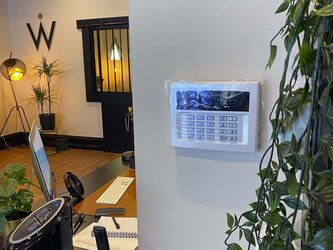
- Go to the keypad. It is usually near the front or back door.
- Enter your user code, or hold your fob or tag against the reader. Some keypads need you to press an Enter or tick key after the code.
- If you use an app, open it and unset (disarm) the alarm.
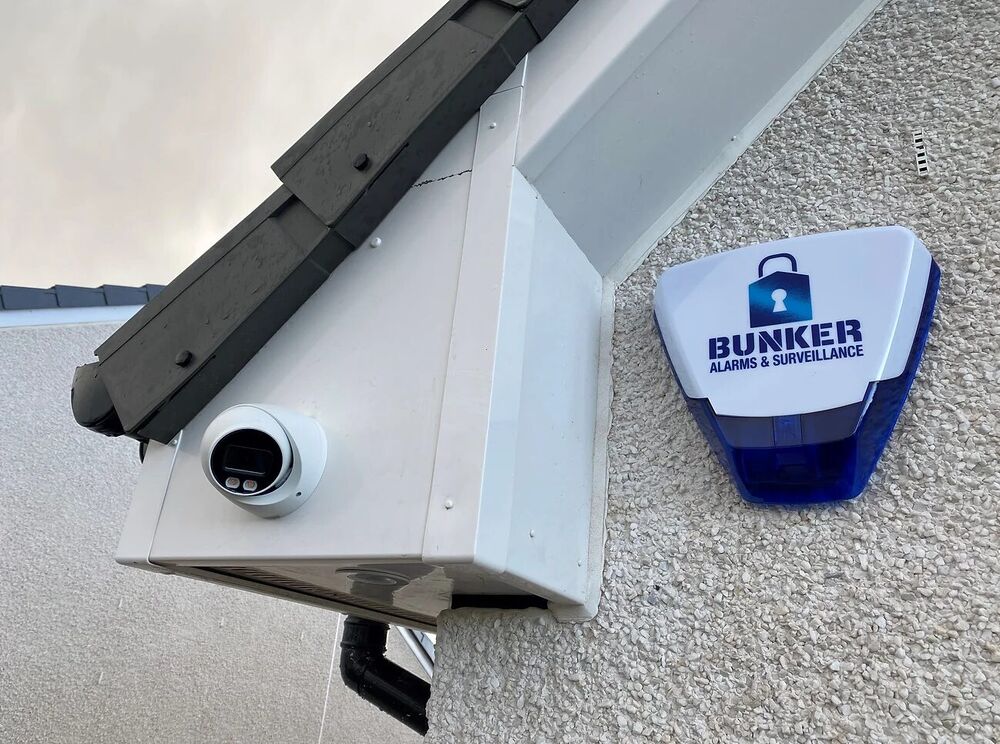
- The siren should stop. On many systems the light on the outside siren box keeps flashing until the alarm is reset.
- Before you reset anything, check the keypad or app to see which detector or zone triggered the alarm.
If you think someone may still be inside, don't go in. Stay somewhere safe and call 999.
How to reset the alarm after it has gone off
After an activation, many panels show an alarm message and won't let you set the system again until it is acknowledged. On most home systems you do this by entering your user code again or choosing a reset option on the keypad or in the app. Your user manual will show the exact steps for your panel.
Some systems are programmed so that only an engineer can reset them after an alarm or a tamper fault. If the display asks for an engineer reset, or tells you to call your engineer, you'll need an engineer to clear it.
If the alarm keeps going off, see what to check when a house alarm goes off for no reason.
Resetting after a power cut
When the power comes back, the panel may show a mains or power fault. Enter your code to acknowledge it.
If the power was off for a long time, the backup battery may have run down, and the alarm may keep warning you until it recharges or is replaced. Our guide to why a house alarm beeps explains the common fault warnings.
If you don't have the code
- Look for the installer's name and phone number on the outside siren box or the control panel. They may be able to help, although they may ask for proof that you own or live in the property.
- If you've just moved in, ask the previous owner, landlord or letting agent for the codes and the user manual.
- Don't keep guessing. Many keypads lock for a while after several wrong codes.
- If the original installer has gone out of business or can't be reached, an independent engineer can usually take over your existing alarm and set new codes, or disconnect it safely.
What never to do
- Never cut the siren wires or pull the cover off the outside siren. Siren boxes are designed to sound if they are tampered with, and they have their own backup battery. Cutting the cable is more likely to start the siren than stop it.
- Never switch off the mains to stop a sounding alarm. The panel runs on its backup battery, so the siren usually carries on, and you add a power fault on top.
- Never open the control panel. It contains mains electricity.
- Don't climb a ladder to the siren box, especially in the dark or in bad weather.
Will the outside siren stop on its own?
Most outside sirens are designed to switch off automatically after a set time, even if nobody enters a code. West Lothian Council's burglar alarm guidance advises householders to make sure their alarm has an automatic cut-off after 20 minutes. The flashing light on the siren box often carries on until the alarm is reset.
If your siren sounds for much longer than that, or keeps restarting, it needs an engineer.
A neighbour's alarm is going off
Try to contact the owner or their keyholder first. The alarm company's name and number are often on the siren box, and they may be able to reach a keyholder. If it carries on with nobody to silence it, contact your local council. Don't try to silence someone else's alarm yourself.
Need help now?
If you can't silence or reset your alarm, we can help across Glasgow and Central Scotland. Call our 24/7 line on 07397 901 411 or see our emergency alarm call-out service. Call us for a price.
If you're replacing an old or unreliable system, get an instant price for a new alarm. Indicative packages start from £380 and include app control with the first 12 months' app subscription. We confirm the price for your home before any work starts.